Notes & Mentions
A wiki stores what you wrote. Fateweaver understands why the links are there. Mention a character in a note and you have not typed their name, you have drawn an edge.
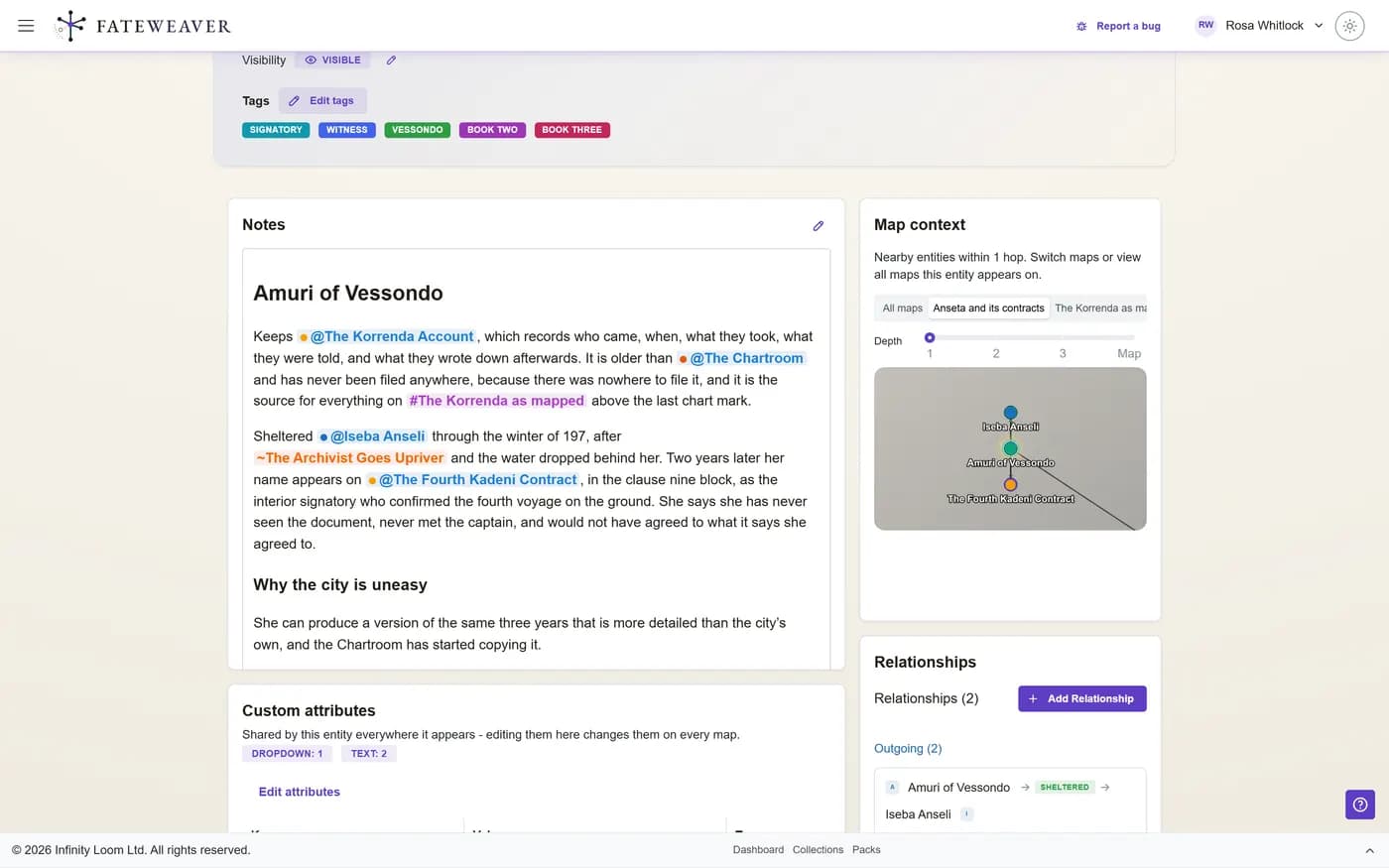
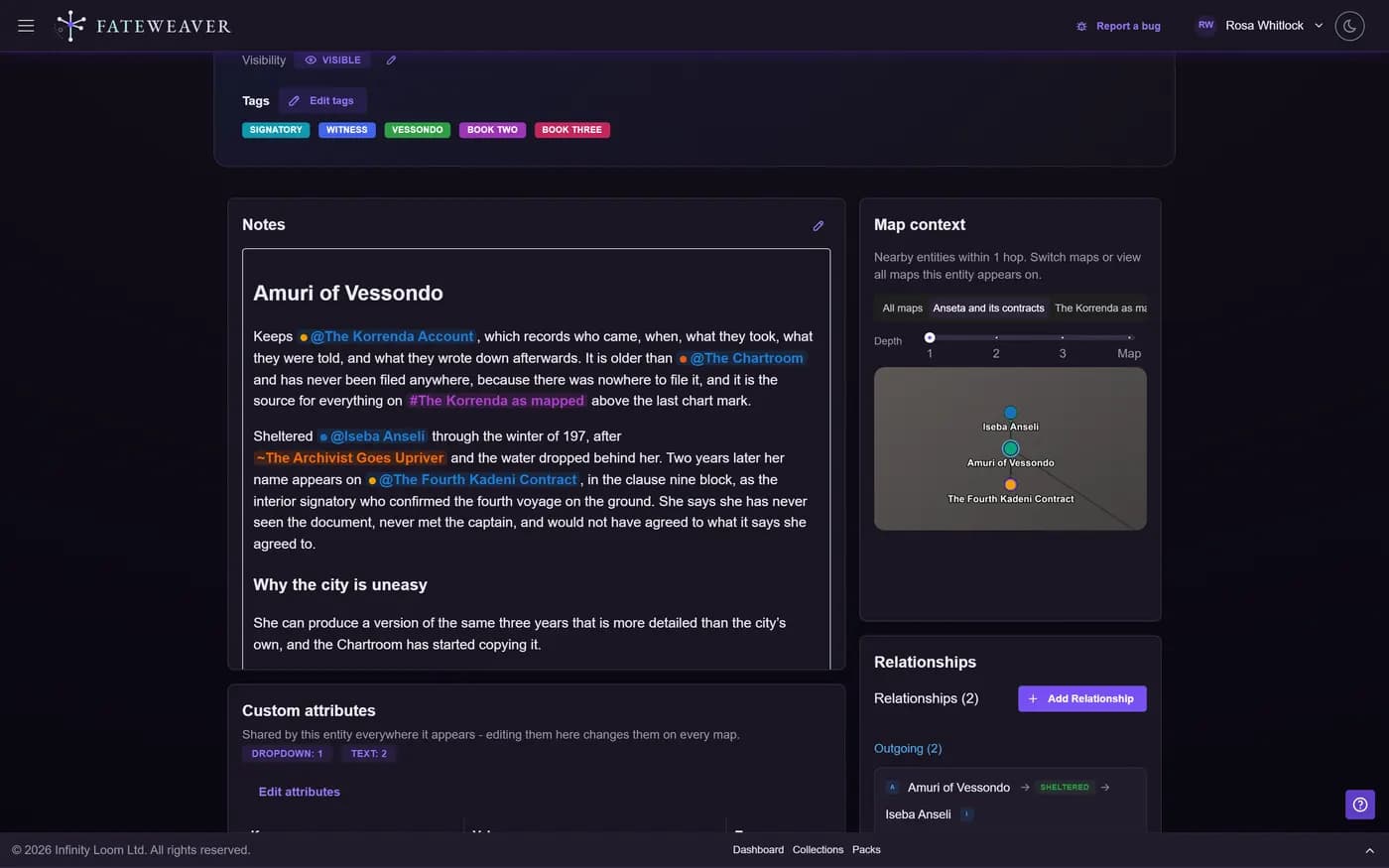
Mentions That Mean Something
Type @ to reach for a character, a faction, or a place, # for a whole map, and ~ for an event on your timeline.
- Mention entities, maps, and events
- Follow a mention straight to what it names
- Rename the thing; every mention follows
From Sentence to Map
The note is where you work out what is true. Act on it without leaving the page.
- Add a mentioned entity to the map you are on
- Open the relationship composer from the sentence
- Type the relationship you just described
One Character, Every Map
A character on three maps is one character. Their notes, portrait, and fields are shared; only their position on each map is local.
- Write once, read on every map
- See where else an entity appears
- No copies to keep in sync
Common workflows
Session notes that file themselves
Write what happened in plain prose, mentioning people and places as you go. The map catches up as you type rather than in a tidy-up afterwards that never happens.
- Write the recap, mentioning who was there
- Add anyone new to the map from the mention
- Compose the alliance you just invented
Working out a backstory
Draft a character's history where their notes live, and let the people it drags in become real as you name them.
- Mention the mentor you just invented
- Create them from the mention picker
- Type the mentorship on the spot
Notes while other people are reading them
Notes save as you write. On the Pro plan they also update live for everyone in the world, so the table can read the session notes while the scribe is still typing them. See pricing for what each plan includes.
Tips
- Mention rather than describe. "Met @Sera at the @Iron Gate" is worth more later than the same sentence in plain text.
- When a note starts naming people who are not on the map yet, that is the moment to add them, not a chore for later.
- Keep the canonical facts in the entity's own notes and the play-by-play in session notes, so the shared record stays the version you trust.
Related examples
Lore Cross-Reference
Where written lore and the map have to agree with each other.
See the Lore Cross-Reference exampleCampaign Binder
Session notes, handouts, and the people they keep mentioning.
See the Campaign Binder exampleMore on this: all features · pricing · FAQ. Signed in? The help button in the corner of the app has step-by-step articles, a keyboard reference, and a guided tour for every page.
Your world is already a web
Every connection you are holding in your head is one you could be looking at. Build your first relationship map free, and see the shape of what you have made.
No credit card required • Create your first relationship map free • Export your data anytime