History & Versioning
Build boldly. Every edit to an entity or a map is tracked, so you can compare what changed and roll back to any version still in history.
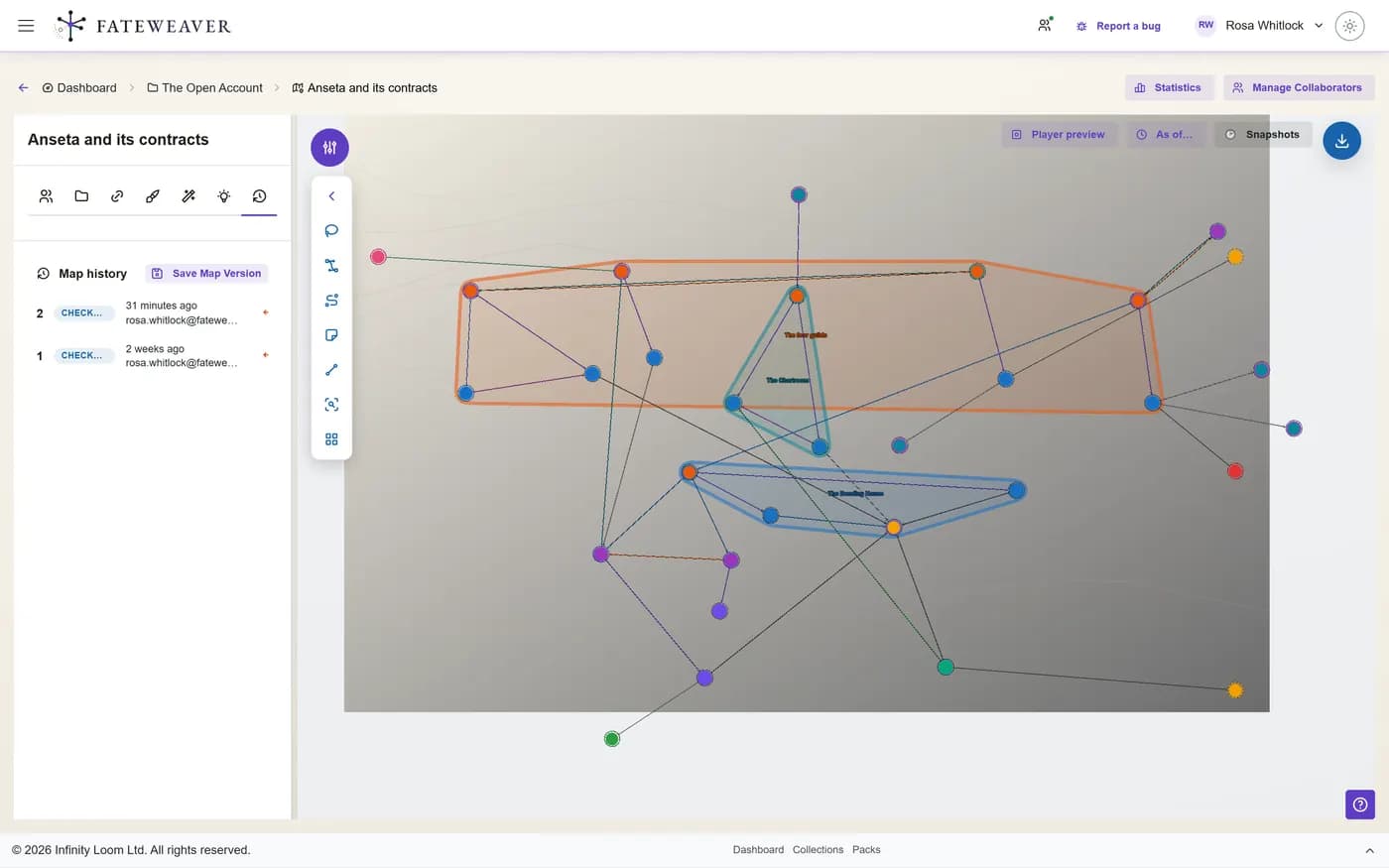
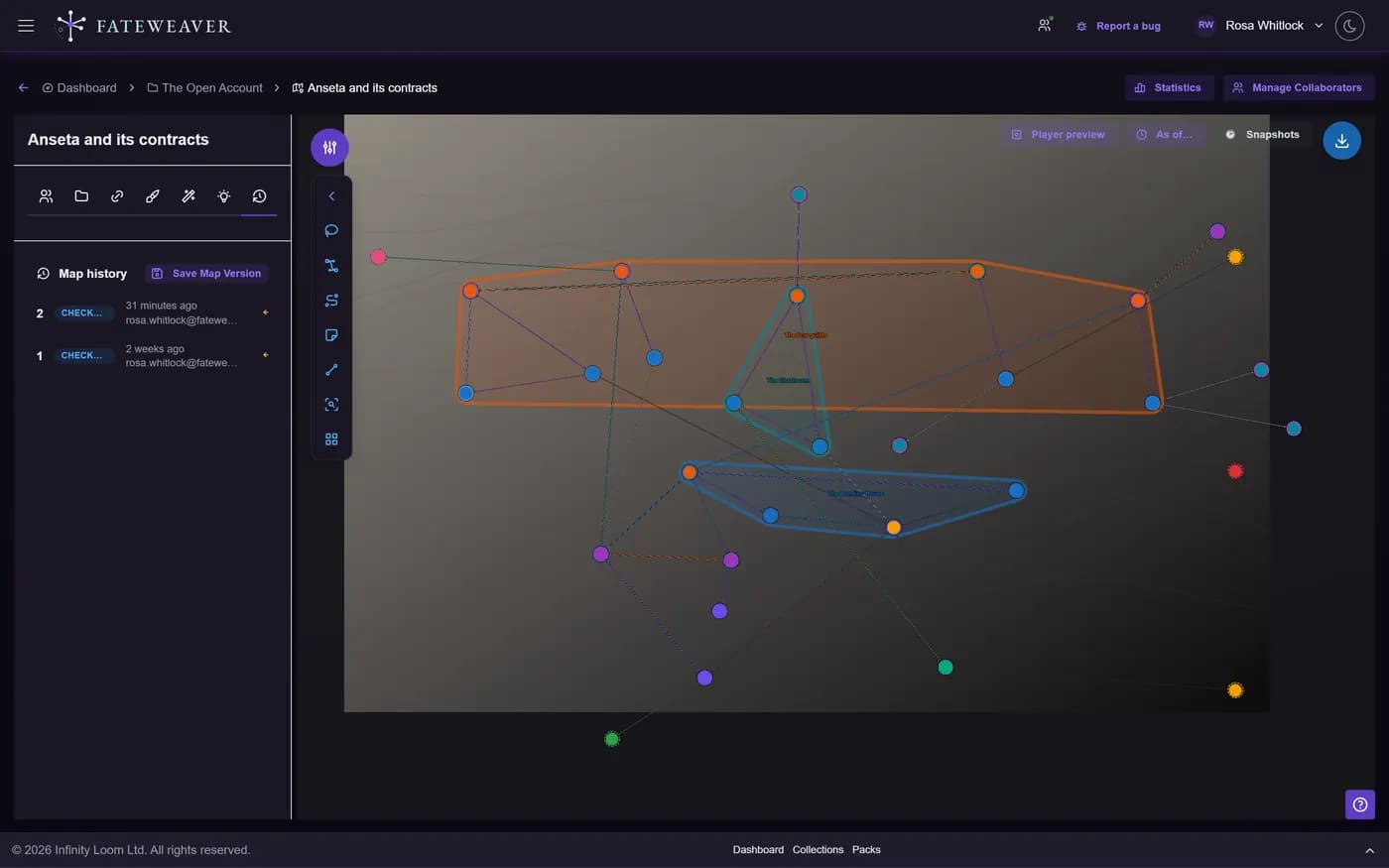
Full Version History
Changes are captured automatically, and you can mark deliberate save points whenever you like.
- Entity-level history
- Map-level history
- Manual checkpoints
Compare & Diff
See exactly what changed between two versions, down to the field.
- Field-level diffs
- Compare any two versions
- Spot unintended edits fast
Restore
Revert a single entity or an entire map to how it was at any point still held in its history.
- Restore a single entity
- Restore an entire map
- Relationship re-creation report on map restore
Common workflows
Undo a messy session
A live session went sideways and the map got tangled. Roll the whole map back to the pre-session state.
- Open map history
- Pick the last clean version
- Restore in one step
Checkpoint before a reveal
About to rewrite a character's allegiances? Drop a checkpoint so you can always return to the original.
- Create a named checkpoint
- Make sweeping edits freely
- Compare or revert later
Tips
- Checkpoint before any big structural change to a map.
- Review the diff before you restore so nothing useful is lost.
- Pair with Map Replay to find the exact moment something changed.
How much history is kept
Every map and every entity keeps its most recent 50 automatic versions and up to 200 checkpoints, oldest pruned first. Automatic versions are captured for you as you work, so on a busy map they turn over quickly. A checkpoint is the one you name. It is kept four times as deep, and it is what to reach for before a session or a big reveal.
Related examples
Great Houses
A shifting political web is exactly where checkpoints and restore pay off.
See the Great Houses exampleCollaborative Session
When several people edit at once, history is your safety net.
See the Collaborative Session exampleMore on this: all features · pricing · FAQ. Signed in? The help button in the corner of the app has step-by-step articles, a keyboard reference, and a guided tour for every page.